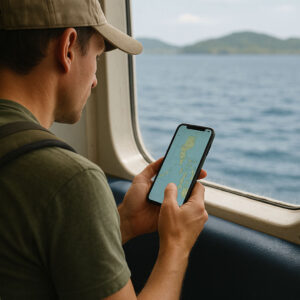
 There’s a quiet magic in sitting on a ferry deck somewhere between Cebu and Bohol, salty air in your hair, offline maps ready, playlist downloaded, and your phone still at 80% battery because you packed smart. That’s the heart of good travel tech Philippines planning—not owning every gadget, but choosing just enough technology to make island life smoother, safer, and more joyful. It’s a simple example of how travel tech Philippines choices can quietly support every part of your journey.
As someone who’s spent plenty of trips juggling bus tickets, spotty WiFi, and last-minute hotel bookings, I’ve learned that the right mix of travel tech Philippines tools can be the difference between panic and “chill lang.” In this guide, we’ll walk through practical travel gadgets Philippines travelers actually use, the most helpful travel apps Philippines has to offer, and the best ways to stay connected, pay, and protect your data while you wander from Manila to Siargao and beyond.
Think of this as your friendly, Filipina-flavored handbook to tech for traveling in the Philippines: not a tech bro checklist, but a lived-in, sand-on-your-slippers kind of guide you can adapt to your own style.
Why Travel Tech Matters in the Philippines Today
What Is Travel Technology, Really?
In simple terms, travel technology is just the digital tools and devices that help you plan, book, navigate, and enjoy your trips—things like booking apps, online maps, ride-hailing, digital payments, and even drones and action cameras. Globally, this is often called “travel technology” or “e-tourism,” and it covers everything from airline booking systems to mobile travel apps.
When we talk about travel tech Philippines style, we’re looking at how all of that fits our specific reality here: patchy signal in the provinces, sudden thunderstorms, cash-only carinderias right next to QR-code cafés, and last-minute schedule changes that mean you rebook ferries on your phone while sitting in a tricycle.
How Tech Changes a Philippine Island Trip
Because our islands are spread out, the logistics alone can be intense. Good travel tech Philippines habits—downloading offline maps, using navigation apps PH for jeepney or bus routes, keeping boarding passes in your email and cloud storage, booking rooms in advance—turns that chaos into something more manageable. Those tiny routines might look basic, but they’re the kind of travel tech Philippines habits that turn stressful island transfers into relaxed, intentional days.
It also gives you more freedom. With the right digital travel tools, you can confidently veer off into quieter coves and small towns, trusting your offline maps and backup chargers to keep you oriented. That’s also how many long-stay travelers and remote workers are making the most of life here, as you’ll see in deeper stories like Bakasyon.ph’s feature on digital nomad life in the Philippines, where tech is literally what makes remote work by the sea possible.
Must-Have Travel Gadgets for Island-Hopping
Power Banks, Cables, and Smart Charging Gear
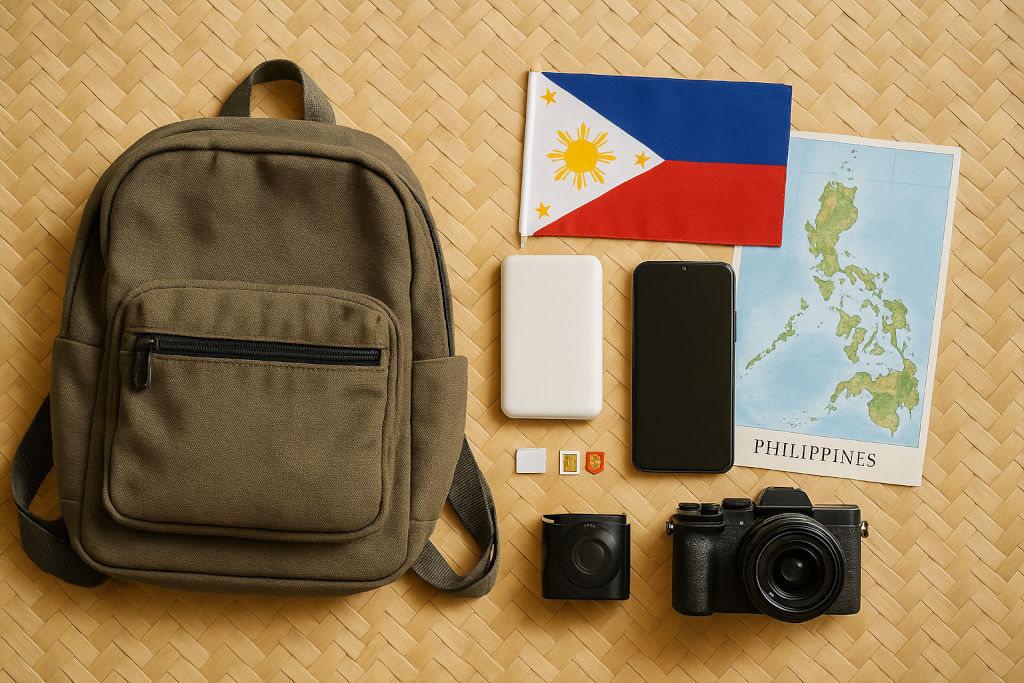
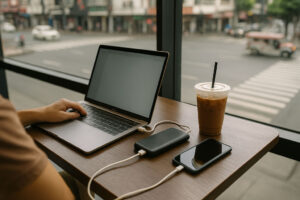 If you pack only one piece of travel tech Philippines gear, make it a reliable power bank. Aim for at least 10,000–20,000 mAh so you can charge your phone multiple times during long bus rides or brownouts in smaller islands. Pair it with a short, durable cable and, ideally, a multi-port wall charger so you can power your phone, camera, and pocket WiFi Philippines device all at once in guesthouses with limited outlets.
Bonus smart travel gear: a small universal extension cord with surge protection. It sounds extra, but on trips with friends, one extension cord turns that single wall socket into a mini charging hub—no more passive-aggressive outlet wars.
Waterproof Cases and Lightweight Smart Travel Gear
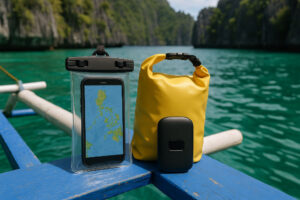 So much of the best travel tech Philippines use happens near water: island-hopping bancas in Palawan, waterfalls in Cebu, downpours in Baguio. A waterproof phone pouch might be the least glamorous item in your bag, but it’s the one that saves your navigation apps PH, e-tickets, and photos when the waves splash over the side of the boat. When you think through this kind of travel tech Philippines setup before you leave home, you’re free to enjoy the spray and rain instead of panicking about a soaked phone.
Dry bags (5–10L) keep your gadgets safe on ferries or tricycles in sudden rain. Add a compact headlamp or small rechargeable flashlight—perfect for power outages, early morning hikes, or dim provincial bus terminals. These aren’t flashy travel gadgets Philippines shoppers usually think of first, but they quietly keep everything else working as part of your wider travel tech Philippines kit.
Cameras and Best Drone Ideas for the Philippines
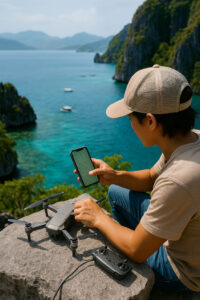 The Philippines is ridiculously photogenic, so it’s tempting to go full gear mode. In reality, a capable smartphone plus either a small mirrorless camera or action cam is enough for most people. If you’re into aerial shots, you might be wondering: Best drone for travel photography in the Philippines? The answer depends on your budget, but look for something foldable, lightweight, with decent wind resistance and long battery life—think “backpack-friendly,” not “Hollywood production.”
Are drones allowed in popular Philippine destinations? In many spots, yes, but with rules. Beaches near airports, busy urban areas, and some protected sites have strict restrictions. Always check local regulations and Civil Aviation Authority of the Philippines guidelines before flying, ask resort or tour staff if it’s okay, and avoid buzzing directly over people, boats, or sacred sites. When in doubt, keep your drone grounded and let your smartphone or action cam tell the story instead while the rest of your travel tech Philippines gear stays safely packed.
Travel Apps Philippines for Navigation, Booking, and Safety
Navigation Apps PH and Offline Maps
Let’s answer one big question: Best travel apps to use in the Philippines? For getting around, your basic kit is usually a combination of major map apps plus local transport apps. Before flying in, download offline maps for Manila, Cebu, Davao, and the islands you’re visiting. Offline maps mean you can still search for streets, navigate tricycle rides, and find your homestay even when mobile data drops to “E.” Think of these as core travel tech Philippines tools for simply not getting lost, even when the bars on your signal drop to almost nothing.
Ride-hailing apps work well in big cities like Metro Manila, Cebu, and Davao, and are a lifesaver at night when you don’t want to bargain with multiple taxis. In smaller towns, these apps might not work, but your offline maps and saved pins will help you explain directions to tricycle drivers more easily—one of those underrated Filipino travel tips that quietly depends on travel tech Philippines habits.
Booking Apps and Digital Travel Tools
Travel tech Philippines tools really shine when plans change. Flight booking apps, hotel aggregators, and bus and ferry platforms let you rebook on the fly. To complement those apps, Bakasyon.ph’s guide to booking flights and hotels in the Philippines walks you through local quirks like seat sales and off-peak seasons, so your digital travel tools work hand-in-hand with solid strategy. When you treat these apps as part of your travel tech Philippines toolkit, last-minute changes feel more like adjustments than disasters.
Cloud storage apps (Drive, iCloud, etc.) double as backup vaults for your passport scan, insurance details, and tickets. Note-taking apps help you track confirmation numbers and expenses. These may not feel like “travel gadgets Philippines” in the physical sense, but they’re the digital backbone of a smoother journey and an essential layer of travel tech Philippines planning.
Safety Apps and Filipino Travel Tips
What are the best travel apps for safety? Start with apps that let you share your location with trusted contacts, plus messaging apps Filipinos actually use (like Viber or Messenger) so you can quickly reach local hosts or friends. Save emergency hotlines and your hotel’s number in a note that’s available offline.
For deeper, non-alarmist advice, the guide to travel safety in the Philippines is a good companion read—it focuses on realistic, grounded tips that pair well with your safety apps and basic street smarts rather than fear. Combined, these digital tools help answer that big question: What safety precautions should travelers take when using tech? Keep your phone locked, don’t flash gadgets unnecessarily, and always connect to secure WiFi networks when handling sensitive information so your travel tech Philippines setup stays an asset, not a liability.
Staying Connected: SIM, eSIM, and Pocket WiFi Philippines
eSIM Philippines vs Buying a Local SIM
Is eSIM or local SIM better for travelers in the Philippines? The honest answer: it depends on your style. An eSIM Philippines package is incredibly convenient if your phone supports it—you can land, connect to airport WiFi for activation, and immediately have data without lining up at a kiosk. Many providers now offer tourist-specific data bundles that make travel tech Philippines choices easier and more flexible. Whichever route you pick, deciding early how you’ll stay online is one of the smartest travel tech Philippines decisions you can make.
A physical local SIM, on the other hand, can sometimes be cheaper for longer stays or heavy data users, especially if you’re comfortable topping up via apps or convenience stores. For budget-conscious travelers who don’t mind a bit of setup, a local SIM plus data promos often gives you more gigabytes per peso and becomes a core part of their personal travel tech Philippines strategy.
Pocket WiFi and Mobile Data for Travelers
Pocket WiFi devices can be a lifesaver if you’re traveling as a group or working remotely. One device, multiple phones and laptops—perfect for those digital nomad moments in cafés by the beach. You can rent pocket WiFi Philippines units at airports, or bring your own unlocked device and insert a local SIM.
Whatever you choose, think about redundancy. Mobile data for travelers in the Philippines isn’t always consistent, especially on smaller islands or mountain towns. Having both a primary connection (eSIM or local SIM) and a backup option (pocket WiFi or another network) means you’re less likely to be left staring at a loading screen when you need your boarding pass. That kind of backup thinking is at the core of smart travel tech Philippines planning.
Staying Online in Remote Destinations
How can travelers stay connected in remote destinations? The trick is to accept that “connected” might sometimes mean “messages only” instead of full-speed streaming. Download maps, playlists, and podcasts in advance; keep important info in offline notes; and tell family you may be out of reach for certain stretches.
The Department of Information and Communications Technology (DICT) is the government agency in charge of improving ICT infrastructure nationwide, including public internet initiatives that aim to make connectivity more widely available.You can learn more about their mandate and projects via the official DICT Philippines website. While those programs are expanding access, it’s still smart to assume patchy data in far-flung towns and treat it as part of the charm of slower travel. Until those systems fully mature, it’s your personal travel tech Philippines setup—SIMs, eSIMs, pocket WiFi, and offline tools—that will quietly carry you through dead spots.
This is where travel tech Philippines habits shine: planning downloads ahead, carrying spare batteries, and embracing low-tech moments when the signal dips and the stars come out.
Paying Seamlessly: Digital Wallets and Budget Tools
Digital Wallets Philippines and QR Payments
In cities and bigger towns, digital wallets Philippines users rely on—like popular local apps tied to QR codes—are now common in cafés, malls, and even some tricycle terminals and small shops. Having at least one local wallet linked to your Philippine SIM or eSIM number lets you pay for rides, food, and bills with a quick scan, which is especially handy when ATMs run out of cash or lines are long.
For international visitors, cards (debit or credit) remain essential. Make sure your card allows online purchases and foreign transactions. Even if you love digital wallets, always keep some backup cash in small bills; many carinderias, sari-sari stores, and market stalls are still cash-only. Mixing cash, cards, and local wallets is one more layer of practical travel tech Philippines planning.
Smart Tech Tips for Budget Travel in the Philippines
What digital tools help with booking and budgeting? Expense-tracking apps make it easy to log jeepney fares, hostel bills, and spontaneous halo-halo snacks. Airline apps alert you to promos, while accommodation platforms let you compare prices quickly. Combine those with strategic advice from Bakasyon.ph’s guide to budget travel in the Philippines, and you get both the tech and mindset pieces of the puzzle. These simple apps and habits are a quieter side of travel tech Philippines, helping you stretch your peso without constant number crunching.
Set daily budget alerts, use fare comparison tools before committing to a flight, and store screenshots of prices when your connection is strong. These are simple but powerful smart tech tips for budget travel in the Philippines that keep surprises to the fun kind—like discovering a cheap island-hopping tour from a local operator instead of overspending online, all supported by a thoughtful travel tech Philippines setup.
Tech Safety, Sustainability, and Your Personal Kit
Safety Precautions When Using Travel Tech
What safety precautions should travelers take when using tech? Start with the basics: enable screen locks and biometrics, turn on “Find My Device” features, and avoid doing banking on open public WiFi. Use VPNs if you’re handling sensitive transactions, and never leave gadgets unattended on café tables, especially in crowded terminals or bus stations. Building these habits into your travel tech Philippines routine makes it much harder for small mistakes to turn into big problems.
Physically, think about how you carry your devices. A small crossbody bag that stays close to your body, a discreet camera strap, and a simple anti-theft daypack work better than flashy gear. For more context on staying aware without being fearful, the Philippines travel safety guide pairs well with your digital precautions and gives grounded, practical advice that fits naturally into everyday travel tech Philippines use.
Sustainable Habits and Building Your PH Tech Kit
Tech and sustainability don’t always go hand in hand, but we can make better choices. Rechargeable batteries, solar power banks on long camping trips, and repairing rather than replacing gear all help. Apps can also guide you toward more sustainable options—think e-tickets instead of printing, or using map layers to find public transport rather than defaulting to private rides. Thoughtful travel tech Philippines choices can actually reduce waste, cut down on unnecessary printing, and make each trip a little gentler on the places you love.
For deeper inspiration, the feature on sustainable travel practices in the Philippines shows how simple habits—from refilling water bottles to supporting local businesses—blend beautifully with thoughtful travel technology Philippines choices. Combine that with a lean personal kit: one reliable phone, a power bank, a compact camera or action cam, simple audio gear, and maybe a lightweight laptop or tablet if you work on the road.
If you’re curious about the longer-stay side of tech for traveling in the Philippines—coworking spaces, WiFi strength, backup power strategies—that’s where stories like the digital nomad Philippines guide show how people actually live and work from the islands using a carefully tuned best travel tech Philippines setup that fits their routine.
At a bigger-picture level, global conversations around travel technology explore how digital systems are reshaping planning, booking, and on-the-ground experiences worldwide. The Philippines is very much part of that story, with our own unique blend of high-tech cities, rural dead spots, and incredibly resourceful local communities that constantly adapt their travel tech Philippines habits.
In the end, your travel tech Philippines kit doesn’t have to be perfect or expensive. What matters is that it supports the kind of trip you actually want: maybe that’s a backpacker adventure stitched together with offline maps and budget apps, or a slow island month where your biggest tech flex is a stable hotspot and a good pair of headphones. Choose the gadgets and apps that help you feel safe, present, and free to explore, then leave enough space in your bag—and your brain—for serendipity. When you design that travel tech Philippines kit with intention, it stops being clutter and starts feeling like a quiet support system in the background of every adventure.
Because the real upgrade isn’t the latest gadget; it’s the confidence to wander a little farther, knowing your tools have your back while you focus on the warm smiles, jeepney rides, and unexpected sunsets that make the Philippines unforgettable.