You don’t really feel “arrived” until your phone works. You need data for Grab, maps, messages, bank OTPs, and that first “Landed safe!” text to family. But connectivity in the Philippines is a mix of great moments and “Uy, nawala signal” realities—especially once you leave city centers.
This Philippines SIM card guide is meant to make you feel prepared, not pressured: where to buy (airport vs city), how to choose between major networks, how prepaid promos work in real life, when pocket Wi-Fi makes sense, and what backups to set up before you go exploring.
Quick answer: the easiest way to get connected (airport vs city vs eSIM)
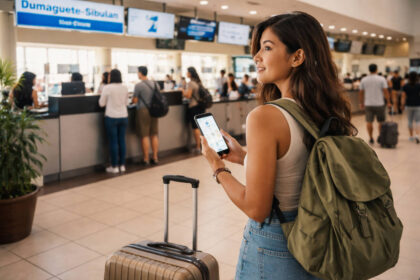
If you need data the moment you land, buy at the airport
Choose the airport option if you’re landing late, you need Grab right away, you don’t know your hotel Wi-Fi situation yet, or you just want the simplest first-night setup. You’ll usually pay more per GB than in the city, but the tradeoff is peace of mind and immediate connectivity.
Reality check: After a long flight, “I’ll figure it out in town” sounds brave—until you’re tired, hungry, and trying to message someone on weak free Wi-Fi.
If you’re arriving daytime and want better value, buy in the city
Choose a city purchase if you’re arriving in daylight, you’re okay using airport Wi-Fi temporarily, and you want more options (including official stores and clearer promo explanations). For many travelers, buying in a mall or official store is less rushed and often better value.
Reality check: “I’ll buy later” only works if you’ve already planned how you’ll navigate to your accommodation without data.
If your phone supports it, eSIM can be the fastest setup
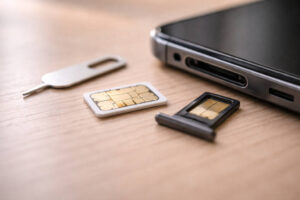 If you have an eSIM-compatible phone, eSIM is the quickest “no tiny SIM tray drama” option. Setup can be fast, and it’s especially helpful if you want to keep your home SIM active for OTPs while using local data.
Reality check: eSIM availability and activation steps can vary by carrier and location, so don’t rely on it as your only plan unless you’ve verified compatibility before you fly.
What you need before you buy
Check that your phone is unlocked (and why this matters)
Before anything else, confirm your phone is unlocked for international SIM use. A locked phone is the #1 “why isn’t this working?” moment. If your phone is on a carrier plan back home, double-check unlock requirements before your trip.
Reality check: Airport counters can’t fix a locked phone problem. You’ll end up paying for Wi-Fi and stress instead.
Know your SIM setup: single SIM, dual SIM, or eSIM
Dual SIM phones (physical + eSIM, or two physical SIMs) make travel easier: keep your home number active for banking texts and use local data on the other line. If you’re not sure, check your phone settings for “Cellular Plans” or “SIM Manager.”
For a quick checklist of power, cables, and connectivity basics travelers forget, see travel tech essentials in the Philippines.
Reality check: Dual SIM doesn’t automatically mean “both lines work perfectly.” You still need to set which line handles data and which line handles calls.
Before you fly: keep arrival documents easy to access
You’ll be juggling things at arrival—passport, booking details, maybe address information—so keep screenshots handy and organize your files. If you want a quick refresher on arrival prep, this Philippines entry requirements update is useful to review before your travel day.
Reality check: When your bag is in one hand and your passport is in the other, you won’t want to dig through email threads for basics.
SIM registration reality (tourist-friendly overview)
SIM registration is required in the Philippines. For travelers, expect to present your passport and provide basic details. Some tourist SIM processes may ask for proof of a Philippine address (often your accommodation) and/or a return or onward ticket. Tourist SIM validity can also be time-limited depending on the registration type and your stay length, so treat your SIM like a travel item with an “expiry mood”—check activation and validity information when you register.
If you want to see the official text reference, you can look at the eLibrary document here: official SIM registration text reference.
Reality check: Registration steps can feel fussy when you’re jet-lagged. That’s another reason some travelers choose airport setup for the first night, then optimize later.
Airport SIM: when it’s worth it, where to look, what to ask at the booth
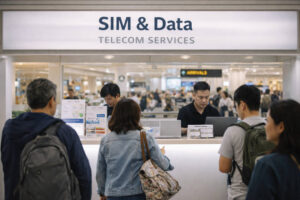 When airport SIM is worth paying extra for
Airport SIM makes sense if you need instant data for transport, you’re arriving late, you’re meeting someone who will message you, or your accommodation check-in depends on confirming details online. It’s also helpful if you’re traveling with family—no one wants to negotiate directions while everyone is hungry and tired.
Reality check: The first hour in a new country is when small friction feels big. Paying for convenience can be rational, not impulsive.
Where to look and how to stay calm at NAIA
At NAIA and other major airports, SIM booths are usually around arrival areas where travelers naturally pass. If you’re spending a first night near the airport or arriving very late, it helps to read a practical arrival plan like this NAIA first-night survival guide.
Reality check: Airport signage and queues can be overwhelming. Decide your “buy now vs later” choice before you land so you don’t debate it in line.
What to ask at the booth (simple questions that save you)
Keep questions simple and outcome-based:
1) “Is this a tourist SIM and how long is it valid?”
2) “How many days does the data promo last?”
3) “Is the data open access (any app) or app-specific?”
4) “Can you help me confirm data is working before I walk away?”
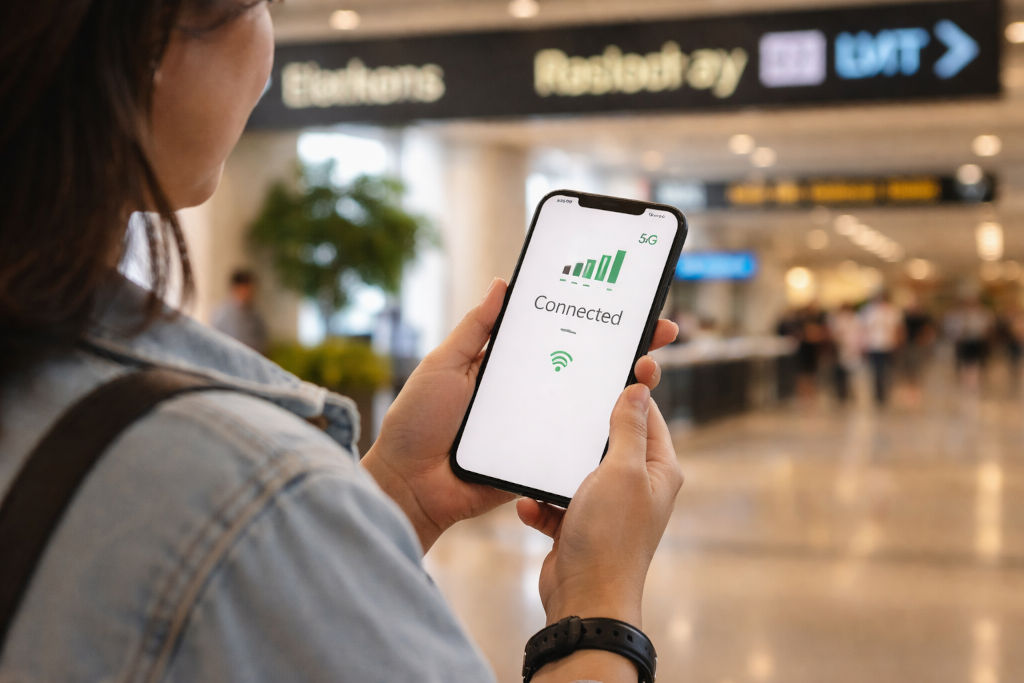
Reality check: Don’t leave the booth until you’ve opened a webpage or map successfully. “May signal” isn’t the same as “May data.”
NAIA free Wi-Fi: useful, but don’t lean on it too hard
Free airport Wi-Fi can help you send a message, book a ride, or confirm a pickup—but it’s not always smooth when arrivals are busy. For a reference point on airport services, you can check NAIA’s amenities listing here: NAIA services and amenities.
Reality check: Airport Wi-Fi often gets slow right when you need it most (peak arrivals), so treat it as a bridge, not a strategy.
City SIM: where locals buy (official stores, malls), why it’s often better value
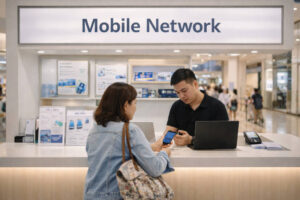 Where locals typically buy (and why it matters)
For the clearest setup experience, look for official carrier stores in malls or reputable partner outlets. The vibe is usually less rushed than an airport booth, and you can ask questions without feeling like there’s a line breathing behind you.
Reality check: Tiny street stalls may be convenient, but travelers are more likely to get confused about promos, load, or activation steps there.
Why city purchase often feels “cleaner” for promos
Prepaid promos change often, and official stores (and official apps) usually provide the most current options. In-city purchase is also a good time to decide if you want a slightly larger data allocation for navigation and social updates, or if you’re mostly on hotel Wi-Fi and just need maps and messages.
Reality check: More GB isn’t always better if validity is short. A smaller plan with longer validity can feel more useful.
Daytime setup tip: do it near your accommodation
If you buy in the city, try to do it near where you’ll sleep. That location—your hotel area—is where you’ll most need reliable data for night returns, food searches, and communicating with your group. This approach fits the “choose based on where you’ll sleep + where you’ll go next” logic that makes a Philippines SIM card guide actually practical.
Reality check: A SIM that works great in one district can feel weaker in another, especially indoors or between tall buildings.
Globe vs Smart vs DITO: how to choose for your route
The honest truth: performance varies by location
Travelers always ask, “Which network is best?” The most truthful answer is: it depends on where you are. Globe, Smart, and DITO all have areas where they feel strong, and areas where they don’t. Instead of chasing a universal winner, use a route-based method so you’re not surprised later.
Credibility note (without overpromising): independent reporting and crowdsourced network experience platforms (like OpenSignal Insights) consistently show that mobile experience can vary by city, indoor/outdoor environment, and time of day—so location-specific thinking is the safest approach.
Reality check: Your friend’s “best network” recommendation may reflect their neighborhood, not your island or mountain route.
A simple decision method: sleep spot + next destination
Use this quick rule:
Step 1: Identify where you’ll sleep most nights (Manila neighborhood, Cebu city center, island town proper, etc.).
Step 2: Identify your next big travel zone (a specific island, a mountain town, a beach area).
Step 3: Ask your accommodation host (or recent reviews) what network guests commonly use.
Step 4: If you’re moving a lot, consider dual SIM: one network for primary data, one as backup.
Reality check: Your phone’s signal bars can look fine while data is slow—congestion matters, not just coverage.
When DITO can make sense (and when to be cautious)
DITO can be a reasonable option in some urban areas and expanding coverage zones, but it’s wise to be cautious if you’re heading to more remote islands or mountain routes where coverage can be patchier. If your trip is mostly city-based and you want to compare value, it’s worth asking about DITO in a mall store where staff can explain current options.
Reality check: If you’re doing a multi-stop itinerary, your safest move is choosing a setup that won’t strand you without maps on travel days.
Understanding prepaid data promos (validity, open access, app bundles, 5G add-ons)
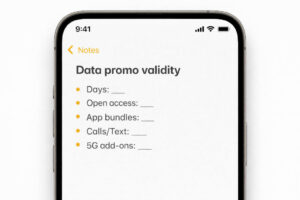 Think in “days of use,” not just GB
In the Philippines, prepaid promos often bundle data with a validity period—like 3 days, 7 days, or 30 days. When reading options, ask: “Will this still be active on my heavy travel days?” In any Philippines SIM card guide, validity is the hidden deal-breaker.
Reality check: A big data allocation that expires quickly can be worse than a smaller plan that lasts your whole stay.
Open access vs app-only data: the detail travelers miss
Some promos include “open access” data (works across apps) plus separate buckets for specific apps (social, video, gaming). If you’re navigating, booking rides, and searching restaurants, you want enough open access—because maps and browser searches usually rely on it.
Reality check: You can have “tons of data” on paper, but still run out of open access and wonder why maps won’t load.
5G add-ons and bonuses: nice when available, but not guaranteed
Some promos include 5G data bonuses in certain areas. Enjoy it if you get it, but don’t build your travel plan around “always 5G.” Your phone, your area, and network congestion will decide your real speeds.
Reality check: Even in a 5G zone, indoor spaces and thick walls can push you back to slower signal.
If you mention examples, treat them as examples
You’ll see travelers share specific promo names online. Use them as a starting point, not a promise. The safest habit is to check the carrier’s official app or official store listing for the latest promo options right before you buy or top up.
Reality check: Promos change. Your goal is a method you understand, not memorizing a promo code from last year.
Top-up and load without stress (what works for travelers; avoid risky resellers)
What usually works best: official apps and reputable channels
For travelers, the least stressful path is topping up through official carrier apps or reputable payment channels you already trust. Keep receipts or confirmation screenshots, especially if you’re extending validity mid-trip.
Reality check: If a load method feels confusing or unofficial, it’s not worth the small “discount.”
Avoid risky resellers (and how to spot sketchy offers)
Be cautious with random social media offers promising huge data for very cheap. If someone asks for unusual personal details beyond what’s required for SIM registration, skip it. If you’re unsure, go back to official stores in malls or verified channels.
Reality check: Connectivity problems are annoying—getting scammed while trying to fix connectivity problems is worse.
Traveler habit that saves you: reload before travel days
Top up before a big transfer day (island hop, bus ride, long drive). That way you’re not troubleshooting load issues while your boat is boarding or your van is leaving. In this Philippines SIM card guide, consider this the “always do” move.
Reality check: The moment you lose data is usually the moment you need it—ports, terminals, and unfamiliar pickup points.
Pocket Wi-Fi, phone hotspot, or eSIM? (choose based on devices + work needs)
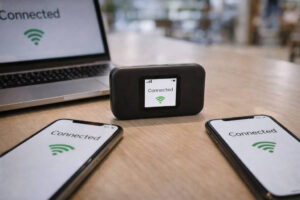 Pocket Wi-Fi: best for groups and multiple devices
Pocket Wi-Fi is great if you’re traveling as a family or barkada with multiple phones, or if you need to connect a work laptop. One device shares data with several devices, which can feel simpler than everyone buying separate SIMs.
Battery reality: Pocket Wi-Fi needs its own charging plan. Bring a power bank and decide who is “device guardian” so it doesn’t get lost in a beach bag.
Reality check: Pocket Wi-Fi only helps if it stays charged and stays with the group—otherwise, it’s just another gadget to worry about.
Phone hotspot: simplest, but watch your battery
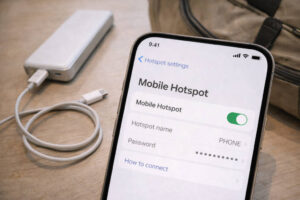 Hotspot is the simplest setup if it’s just you (or one other device). But it drains your phone battery quickly, especially if you’re in a weak-signal area where your phone works harder to stay connected. If you rely on hotspot, a power bank becomes non-negotiable.
Reality check: When your phone dies, you lose everything at once—maps, contact, camera, boarding info, and your hotspot.
eSIM: fast setup for compatible phones (and why travelers like it)
eSIM is appealing because you can activate without handling a tiny SIM tray. It’s also convenient if you want to keep your home SIM active. Availability can vary, but major carriers have been expanding eSIM options—so it’s worth checking before your trip if this is your preferred setup.
Reality check: Some travelers still keep a backup plan (like airport Wi-Fi + a city SIM option) in case eSIM activation takes longer than expected.
Remote work note: choose redundancy, not bravado
If you’ll work while traveling, aim for redundancy: a primary SIM plus a backup option (second SIM, pocket Wi-Fi, or strong accommodation Wi-Fi). For a reality-based look at routines and expectations, the digital nomad life in the Philippines guide can help you plan your setup like a grown-up, not like a gambler.
Reality check: Work calls don’t care that you’re on a beautiful island—have a Plan B location for stronger Wi-Fi.
Connectivity expectations: cities vs islands vs mountains (and your backup plan)
Cities and large towns: generally usable, especially in dense areas
In major cities and business districts, you’ll often get usable 4G/5G, especially outdoors and in commercial zones. Malls and cafés can be solid too, though congestion during peak hours can slow things down.
Reality check: Even in cities, speed can dip when everyone is online—rush hour isn’t just traffic, it’s data traffic too.
Popular islands: decent in town centers, weaker at the edges
In popular island destinations, connectivity is often strongest near town proper—where businesses cluster—and weaker along beach stretches, road edges, and quieter coves. Plan your “upload moments” for times you’re back in town, not while you’re chasing sunset on a remote shoreline.
Reality check: The prettiest beaches are often the least connected. That’s not a bug—it’s the tradeoff.
Mountain areas: signal can drop fast after town proper
In mountain destinations, signal can fall off quickly once you leave the center. Valleys, winding roads, and dense terrain can interrupt coverage. Expect stretches with no data, and treat offline planning as part of your trip prep.
Reality check: Don’t assume you can “just search it” on the road. Download what you need while you still have signal.
Your backup plan checklist (do this before you lose signal)
Here’s the practical “I will thank myself later” list:
• Download offline maps for your next destination.
• Save hotel addresses and check-in instructions as screenshots.
• Save QR codes, tickets, and offline boarding passes if your airline/app supports it.
• Carry a power bank and a spare charging cable.
• Schedule big uploads (cloud backups, big photo sync) for strong Wi-Fi moments.
• Keep key contacts pinned and your emergency info accessible.
Reality check: Most connectivity stress is preventable. It’s rarely the lack of signal—it’s the lack of preparation.
Wi-Fi safety and smart habits (public Wi-Fi do’s/don’ts, data-saving tips)
Public Wi-Fi: use it, but be selective
Hotels and reputable cafés are usually the easiest places to connect. If you’re using public Wi-Fi, avoid accessing sensitive accounts (banking, high-stakes logins) unless you’re confident in your security setup. A calm rule: use public Wi-Fi for browsing and messages; use mobile data for sensitive transactions when possible.
For broader scam-avoidance habits that apply beyond Wi-Fi, keep this bookmarked: travel safety tips in the Philippines.
Reality check: “Free Wi-Fi” sometimes comes with annoying login portals, time limits, or unreliable speed—don’t base urgent tasks on it.
Data-saving tips that actually feel good (not restrictive)
Instead of micromanaging every MB, do a few high-impact tweaks:
• Turn on Low Data Mode / Data Saver.
• Pause automatic app updates on mobile data.
• Limit background refresh for heavy apps.
• Upload photos on Wi-Fi at night.
• Use offline playlists and downloaded videos for travel days.
Reality check: The biggest data drains often happen silently in the background, not in the moments you’re actively using your phone.
Simple “connectivity confidence” habits
Make these part of your rhythm: check your promo validity each morning, top up before transfer days, and keep one offline navigation option ready. A Philippines SIM card guide is only useful if it leaves you with a routine you can repeat without thinking too hard.
Reality check: When you’re tired, you’ll default to habits. Set up habits that save you.
Philippines SIM card guide FAQs
Should I buy a SIM at the airport or in the city?
If you need data immediately (late arrival, Grab, no hotel Wi-Fi confidence), buy at the airport. If you arrive daytime and want better value and more time to compare promos, buy in the city—ideally at an official store in a mall.
Which is better: Globe, Smart, or DITO?
It’s location-dependent. Choose based on where you’ll sleep most nights and where you’ll travel next. If your itinerary spans different terrain (city + island + mountain), consider a backup option (dual SIM or pocket Wi-Fi) instead of betting everything on one network.
Do tourists need SIM registration in the Philippines?
Yes, SIM registration is required. Travelers typically use their passport and provide basic details; some processes may request a Philippine address (often your accommodation) and/or return/onward ticket details. Tourist SIM validity may be time-limited, so check validity and renewal rules during registration.
How do prepaid data promos work in real life?
Think in two dimensions: (1) how much open access data you get for maps and browsing, and (2) how long the promo stays valid (days). Some promos also include app-specific buckets and 5G bonuses, which are helpful but can vary by area and change over time—so check the carrier’s official app for current options.
Is pocket Wi-Fi worth it?
It’s worth it if you have multiple devices, you’re traveling as a group, or you need a laptop connection. Just plan for battery management and keep it physically with whoever needs it most.
What should I do when signal drops on islands or mountains?
Switch to offline mode prep: use downloaded maps, rely on saved screenshots for addresses and QR codes, delay uploads until you’re back in town or on strong Wi-Fi, and conserve battery with a power bank. Expect gaps—then you won’t panic when they happen.
Connectivity in the Philippines can be excellent in the right places and frustrating in the wrong ones—sometimes within the same day. The goal isn’t to chase a perfect signal; it’s to set up a simple, flexible system: choose where to buy, pick a network based on your route, understand promos by validity and open access, and keep a backup plan ready. With that, your phone becomes a helper again—not a source of stress.